A Timesheet Template That Tracks Hours Automatically
Turn a timesheet template into a real time tracking app your whole team can use, with live hours, approvals, and reporting that don't depend on a spreadsheet someone forgot to fill in.
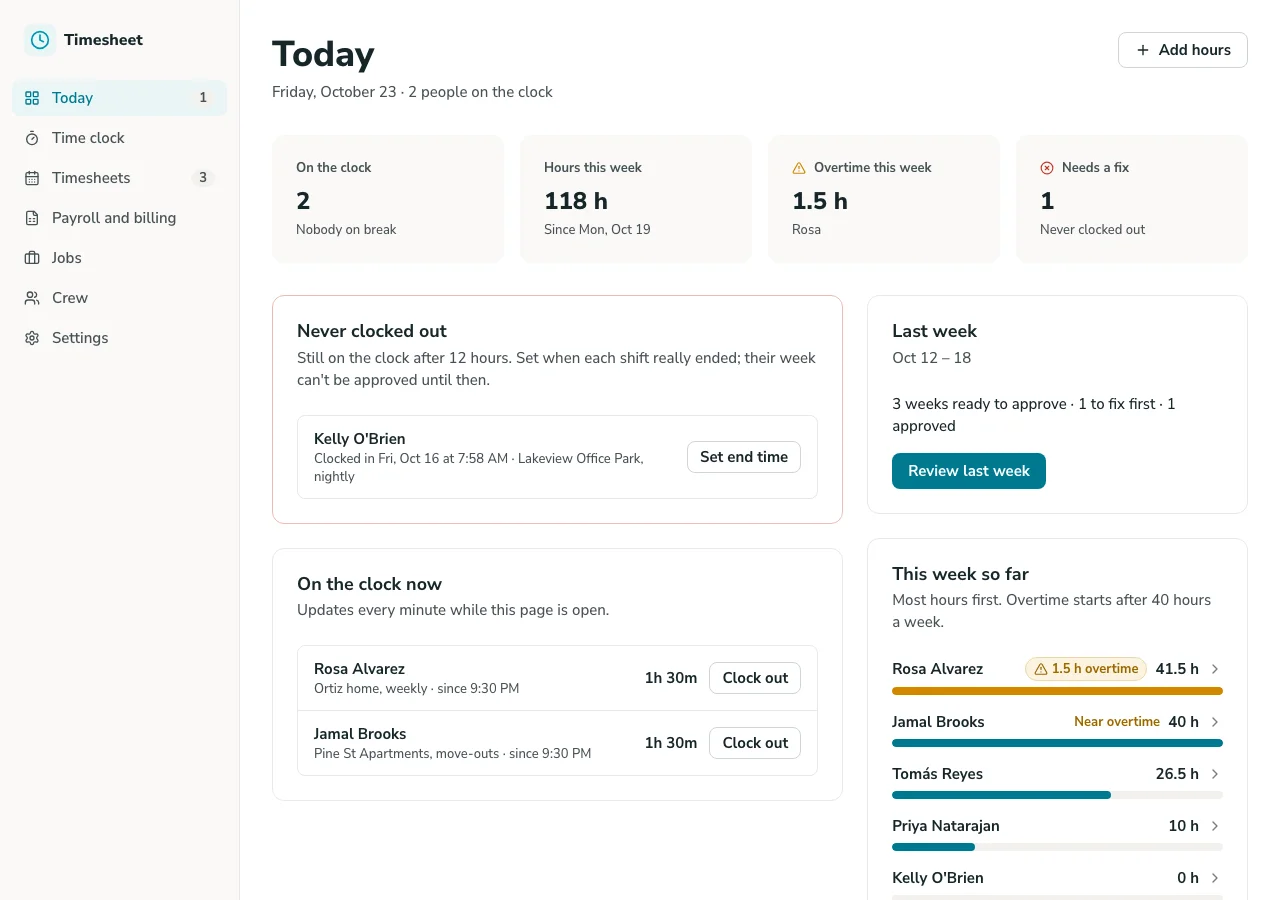
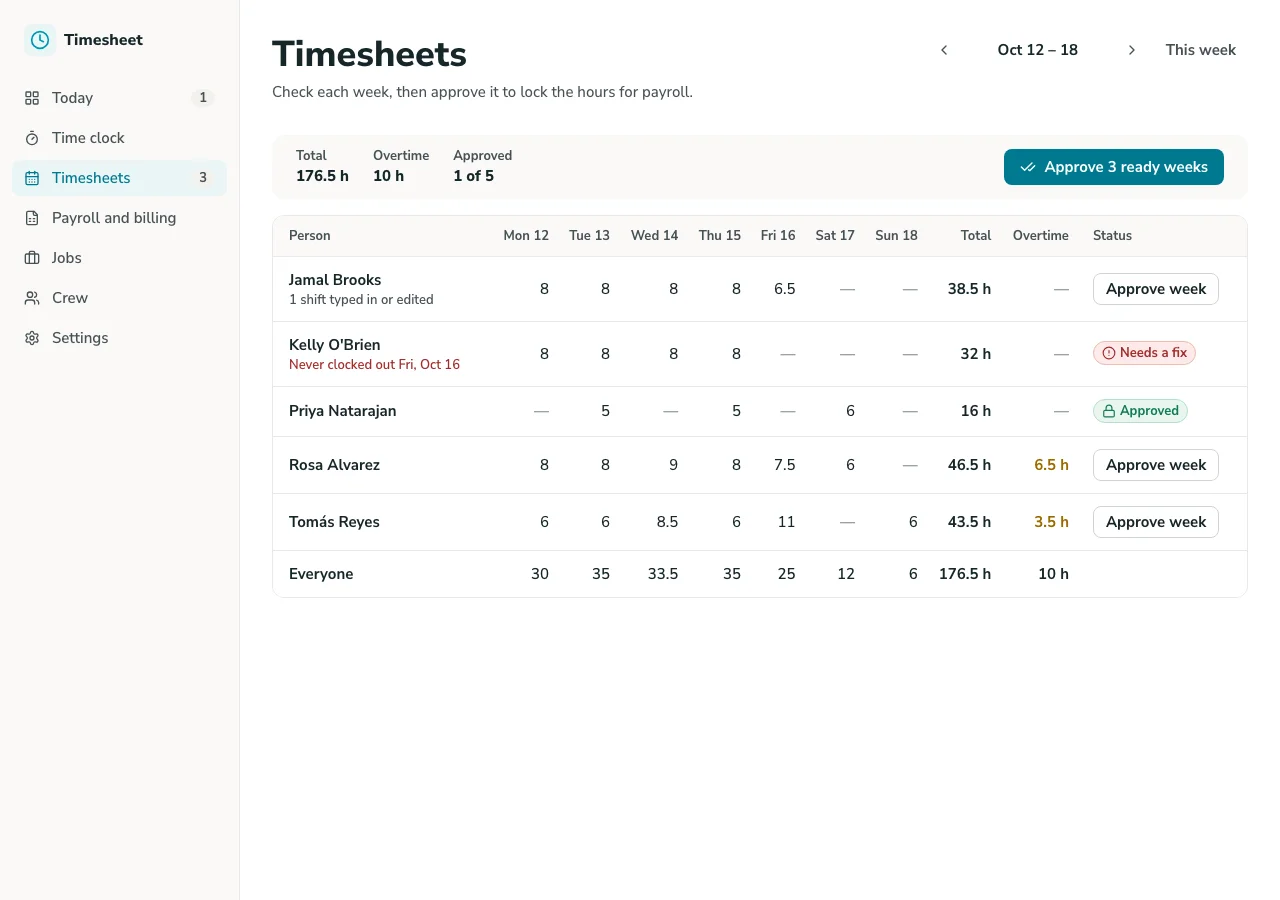
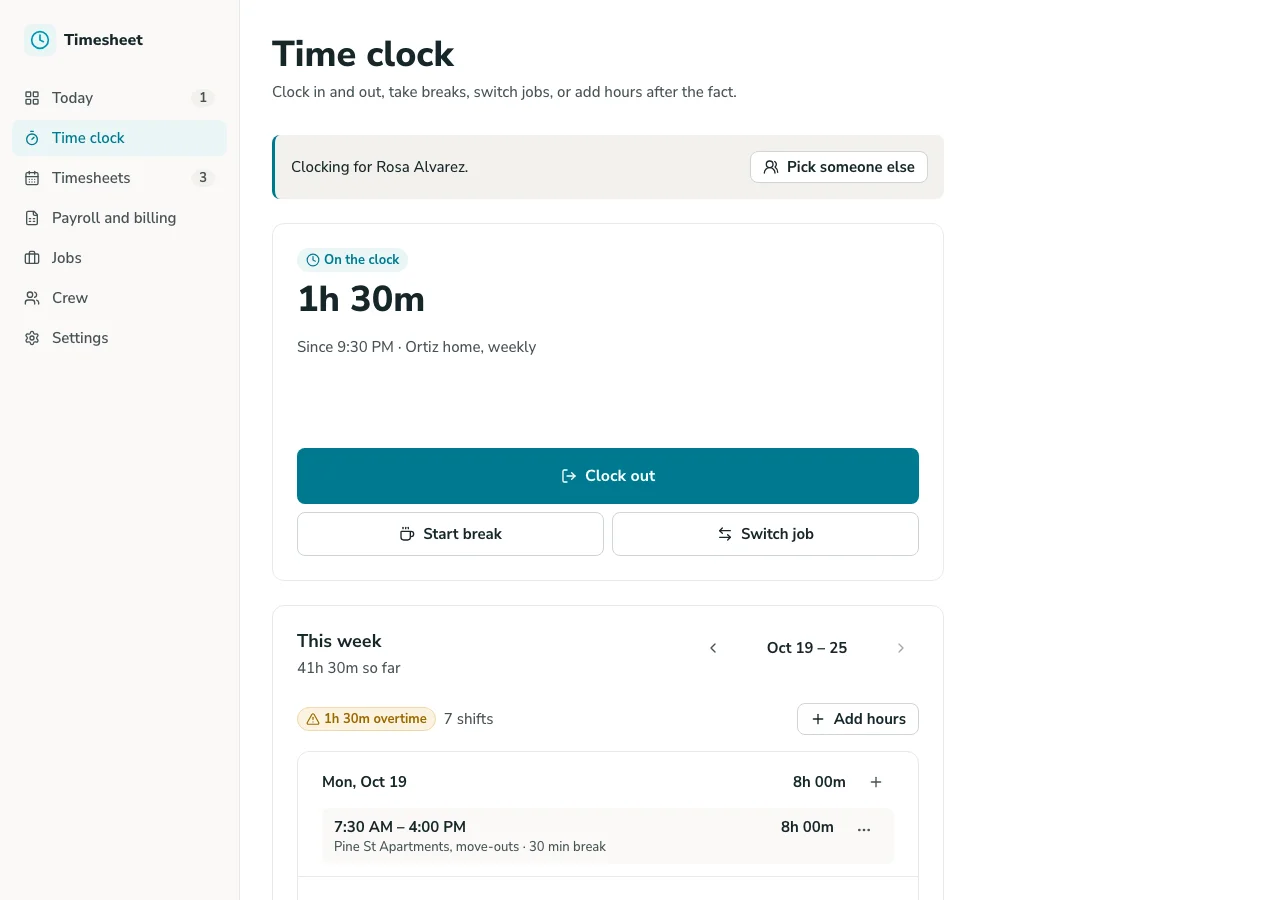
Google Sheets Timesheet Overview
This template turns a Google Sheets timesheet into a working time tracking app, complete with a real interface, live hours, and approvals, without asking anyone on your team to open a spreadsheet to log or check their time.
Unlike a static spreadsheet template, this system is built on GoodTaco, so you can customize every part of your time tracking: how hours are logged, how approvals work, and who can see or edit what. It connects directly to the Google Sheet you already use, so your timesheets, formulas, and history stay exactly where they are.
Why Use This Timesheet Template
-
Stop chasing missing timesheets: Give each team member a simple place to log hours, so payroll doesn't get delayed waiting on someone to fill in a spreadsheet row.
-
Catch hours that don't add up before payroll runs: See logged hours against expected hours in one view, so a discrepancy gets caught before it turns into a payroll error.
-
Give every role the view they need: Team members log and see their own hours. Managers approve and see the full team. No one has to dig through someone else's rows to find their own time.
Template Features
-
Time logging Let team members log hours against a project, client, or task, pulled live into your Google Sheet, instead of filling in a shared spreadsheet row.
-
Approval workflow Route logged hours to a manager for approval, so submitted time doesn't get counted until it's been checked.
-
Role-based access Give team members a view scoped to their own hours, while managers and admins see the full team. No one accidentally edits someone else's timesheet.
-
Project and client tracking Track hours against a specific project or client, so time can be tied back to what it was actually spent on.
-
Weekly and monthly views See hours broken down by day, week, or month, so reviewing a pay period doesn't mean scrolling through a long list of individual entries.
-
Overtime and threshold alerts Flag hours approaching or over a threshold, catching potential overtime before payroll processes it.
Who Is This Template For
-
Small business owners running payroll without a dedicated time tracking platform built for larger companies.
-
Construction and field teams logging hours across job sites, where a plain spreadsheet makes it hard for anyone off-site to log or check their time.
-
Agencies and service teams tracking billable hours against specific clients or projects, where accuracy matters for both payroll and client billing.
-
Managers and team leads who need to approve time and catch discrepancies before payroll runs, instead of reviewing a spreadsheet after the fact.
Setup Steps
-
Sign up with Google Sheets. Connect the spreadsheet you're already using to track time.
-
Connect your data. GoodTaco reads your existing columns (hours, project, employee) so you don't have to restructure anything.
-
Customize your app. Describe what you want in plain language: logging fields, approval rules, and who should see what.
-
Publish and share. Give your team access to the app. Your Google Sheet stays the source of truth behind it.
Turn Your Google Sheet Into a Timesheet App
Still chasing timesheets that never get filled in on time? Turn your Google Sheet into a time tracking app your whole team can rely on.
Timesheet Template FAQs
What is a timesheet template?
A timesheet template is a pre-built structure for logging and tracking work hours. This one is built on GoodTaco, so instead of a static file you copy and fill in, it's a working app connected to your Google Sheet that updates in real time.
Do I need to reformat my Google Sheet to use this?
No. GoodTaco connects to your sheet as it already exists. Clearly labeled columns help, but there's no required migration or restructuring.
Why use a template like this instead of a plain spreadsheet?
A spreadsheet has no way to route hours for approval or notify a manager when time is submitted. This template gives your Google Sheet a proper app on top: logging, approvals, and permissions, while your data stays exactly where it is.
Can employees log time from the field or off-site?
Yes. Time tracking works through the GoodTaco app interface, so team members can log hours without needing to open the underlying spreadsheet directly.
Will this replace my Google Sheet?
No. Your Google Sheet stays the source of truth. GoodTaco adds an app interface on top of it so your team can log and approve time without opening the spreadsheet directly.
Can multiple team members log time at the same time?
Yes. GoodTaco gives each person their own view based on their role, so team members can log their own hours without overwriting someone else's entries.
Can I track time against specific projects or clients?
Yes. Hours can be tracked against a project or client, so time is tied back to what it was actually spent on for reporting or billing.
Do I need to know how to code to set this up?
No. You describe what you want in plain language and GoodTaco builds the app around your existing sheet. No developer or technical setup required.
Is my timesheet data secure?
Your data stays in your Google Sheet, and access to the app is controlled by the roles and permissions you set.