An Expense Report Template Employees Actually Use
Turn an expense report template into a real submission app your team can actually use, with receipts, approvals, and reimbursement status in one place.
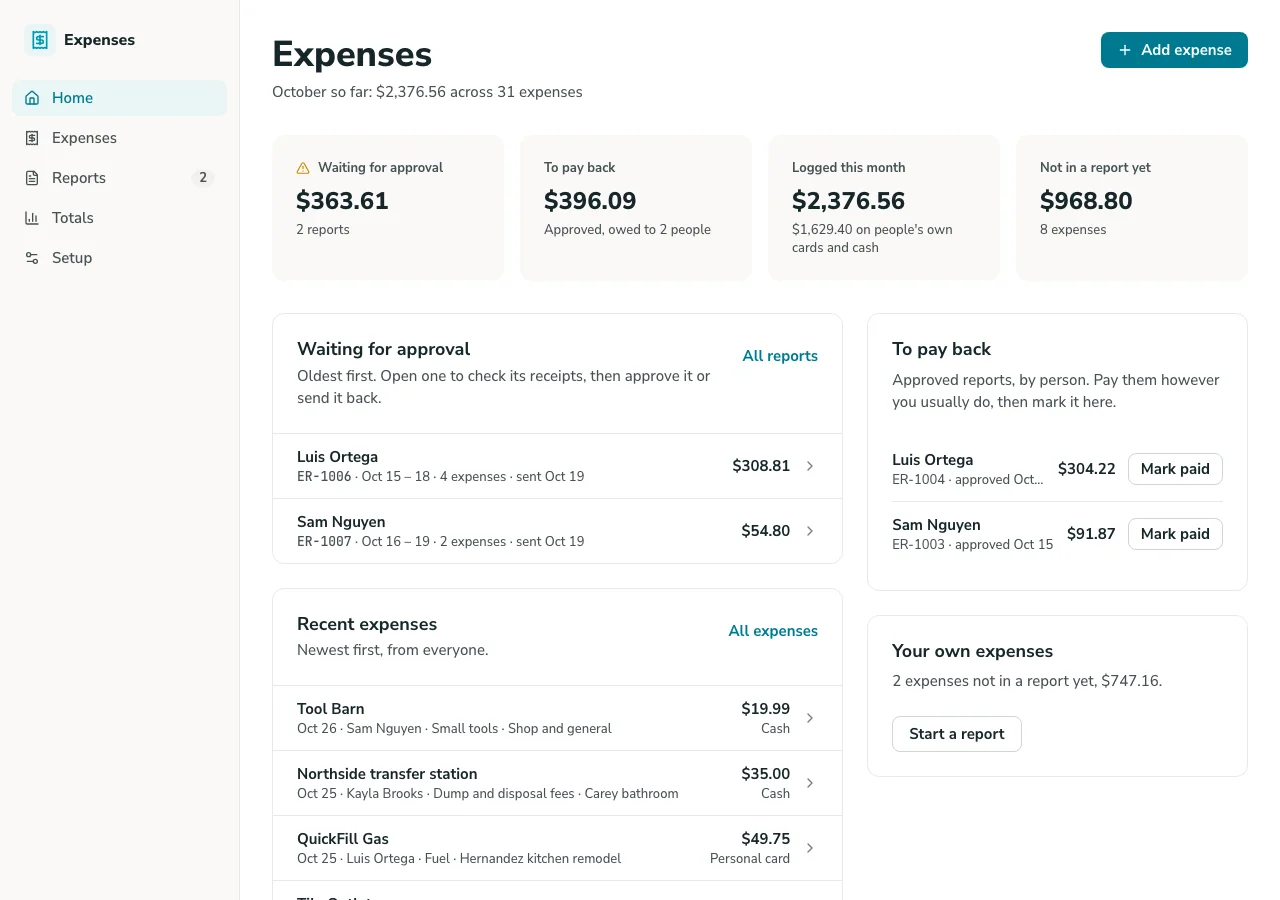
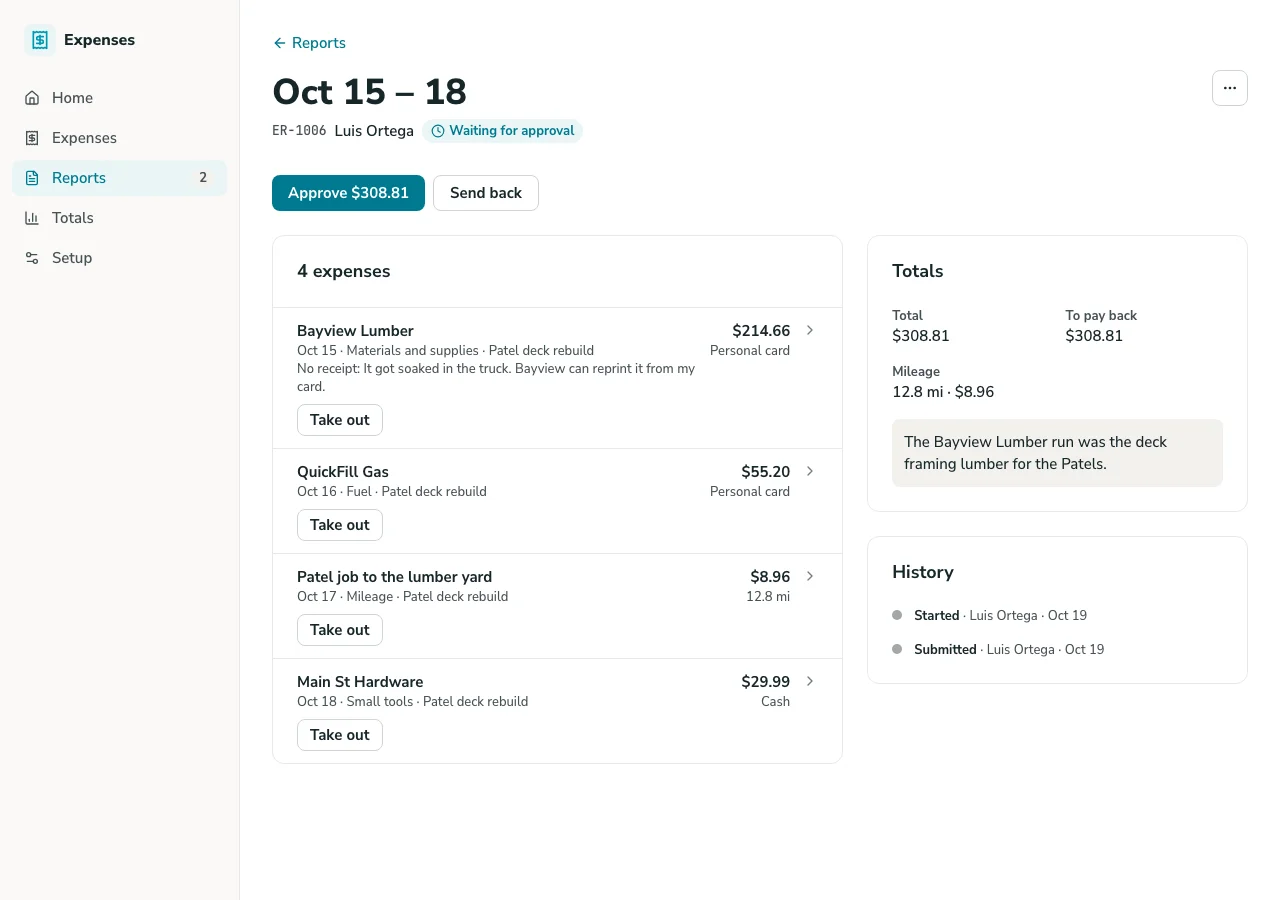
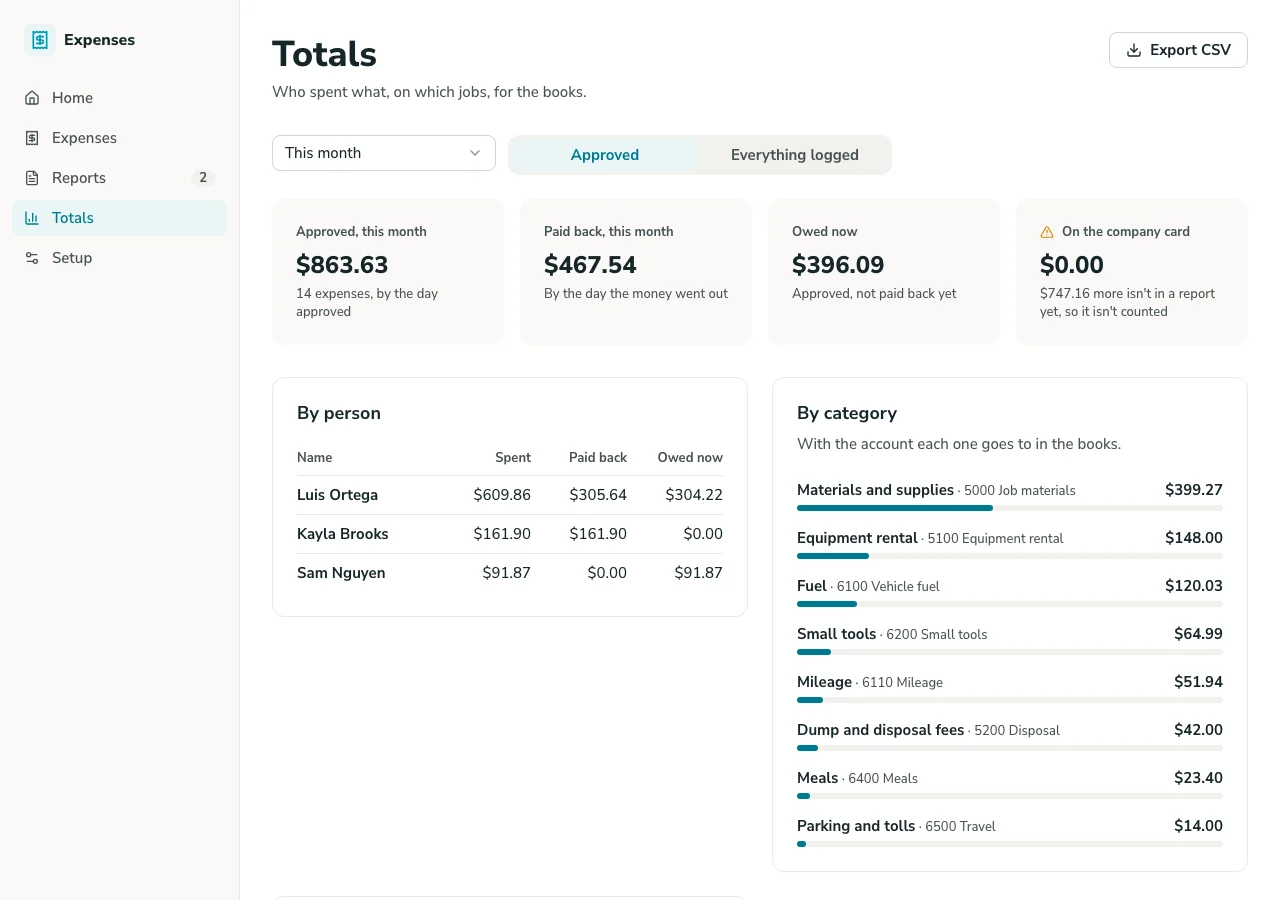
Google Sheets Expense Report Overview
This template turns a Google Sheets expense report into a working submission app, complete with a real interface, receipt uploads, and approval routing, without asking your team to fill out a spreadsheet row and email it to finance.
Unlike a static spreadsheet template, this system is built on GoodTaco, so you can customize every part of your expense process: what fields are required, how approvals route, and who can see or edit what. It connects directly to the Google Sheet you already use, so your expense records, formulas, and history stay exactly where they are.
Why Use This Expense Report Template
-
Stop chasing missing receipts and approvals: Give employees a simple place to submit expenses with receipts attached, so finance isn't hunting down documentation after the fact.
-
Catch a stalled reimbursement before someone has to ask: See what's submitted, approved, and paid at a glance, so an employee doesn't wonder for weeks whether their expense went through.
-
Give every role the view they need: Employees see their own submissions and status. Approvers see what's waiting on them. Finance sees everything ready for reimbursement.
Template Features
-
Expense submission Let employees submit expenses with amount, category, and receipt, pulled live into your Google Sheet, instead of filling out a shared spreadsheet row.
-
Receipt attachment Attach a receipt or documentation directly to an expense, keeping proof tied to the submission instead of scattered across email.
-
Approval routing Route submitted expenses to a manager for approval, so nothing gets reimbursed without sign-off.
-
Status tracking Move expenses through statuses like Submitted, Approved, and Reimbursed in a real interface, so anyone can check where a report stands.
-
Role-based access Give employees a view of their own submissions, while approvers and finance see what's waiting on them. No one has to dig through someone else's expenses.
-
Category and policy tracking Track expenses against categories like travel, mileage, or meals, so spend is organized and easy to reconcile at reporting time.
Who Is This Template For
-
Small business owners who need employee expenses submitted and approved without adopting a full expense management platform built for larger companies.
-
Finance and operations teams processing reimbursements, where a clear approval trail and receipt documentation matter for every submission.
-
Field and travel-heavy teams submitting mileage, travel, or per diem expenses, where a plain spreadsheet makes it easy to lose track of what's been reimbursed.
-
Agencies and service teams tracking billable expenses against a specific client or project, where reimbursement and client billing both depend on accurate records.
Setup Steps
-
Sign up with Google Sheets. Connect the spreadsheet you're already using to track expenses.
-
Connect your data. GoodTaco reads your existing columns (amount, category, employee) so you don't have to restructure anything.
-
Customize your app. Describe what you want in plain language: submission fields, approval routing, and who should see what.
-
Publish and share. Give your team access to the app. Your Google Sheet stays the source of truth behind it.
Turn Your Google Sheet Into an Expense Report App
Still chasing receipts and approvals through email? Turn your Google Sheet into an expense report app your whole team can rely on.
Expense Report Template FAQs
What is an expense report template?
An expense report template is a pre-built structure for submitting and tracking employee expenses. This one is built on GoodTaco, so instead of a static file you copy and fill in, it's a working app connected to your Google Sheet that updates in real time.
Do I need to reformat my Google Sheet to use this?
No. GoodTaco connects to your sheet as it already exists. Clearly labeled columns help, but there's no required migration or restructuring.
Why use a template like this instead of a plain spreadsheet?
A spreadsheet has no way to attach a receipt, route an expense for approval, or notify anyone when something needs sign-off. This template gives your Google Sheet a proper app on top: submission, approvals, and permissions, while your data stays exactly where it is.
How is this different from the Budget & Expense Tracking template?
Budget & Expense Tracking is built for overall budget oversight: planned versus actual spend by category. This template is built for individual expense submissions, where an employee submits a receipt and it moves through approval to reimbursement.
Can employees attach receipts to their submissions?
Yes. Receipts or documentation can be attached directly to an expense, keeping proof tied to the submission itself.
Will this replace my Google Sheet?
No. Your Google Sheet stays the source of truth. GoodTaco adds an app interface on top of it so your team can submit and approve expenses without opening the spreadsheet directly.
Can I track expenses against a specific client or project?
Yes. Expenses can be tied to a category, client, or project, useful for both reimbursement and client billing.
Do I need to know how to code to set this up?
No. You describe what you want in plain language and GoodTaco builds the app around your existing sheet. No developer or technical setup required.
Is my expense data secure?
Your data stays in your Google Sheet, and access to the app is controlled by the roles and permissions you set.