Employee Directory Template for Google Sheets
Turn a staff list into a real employee directory template your whole team can search, with contact info, departments, and roles always current.
Employee Directory Template Overview
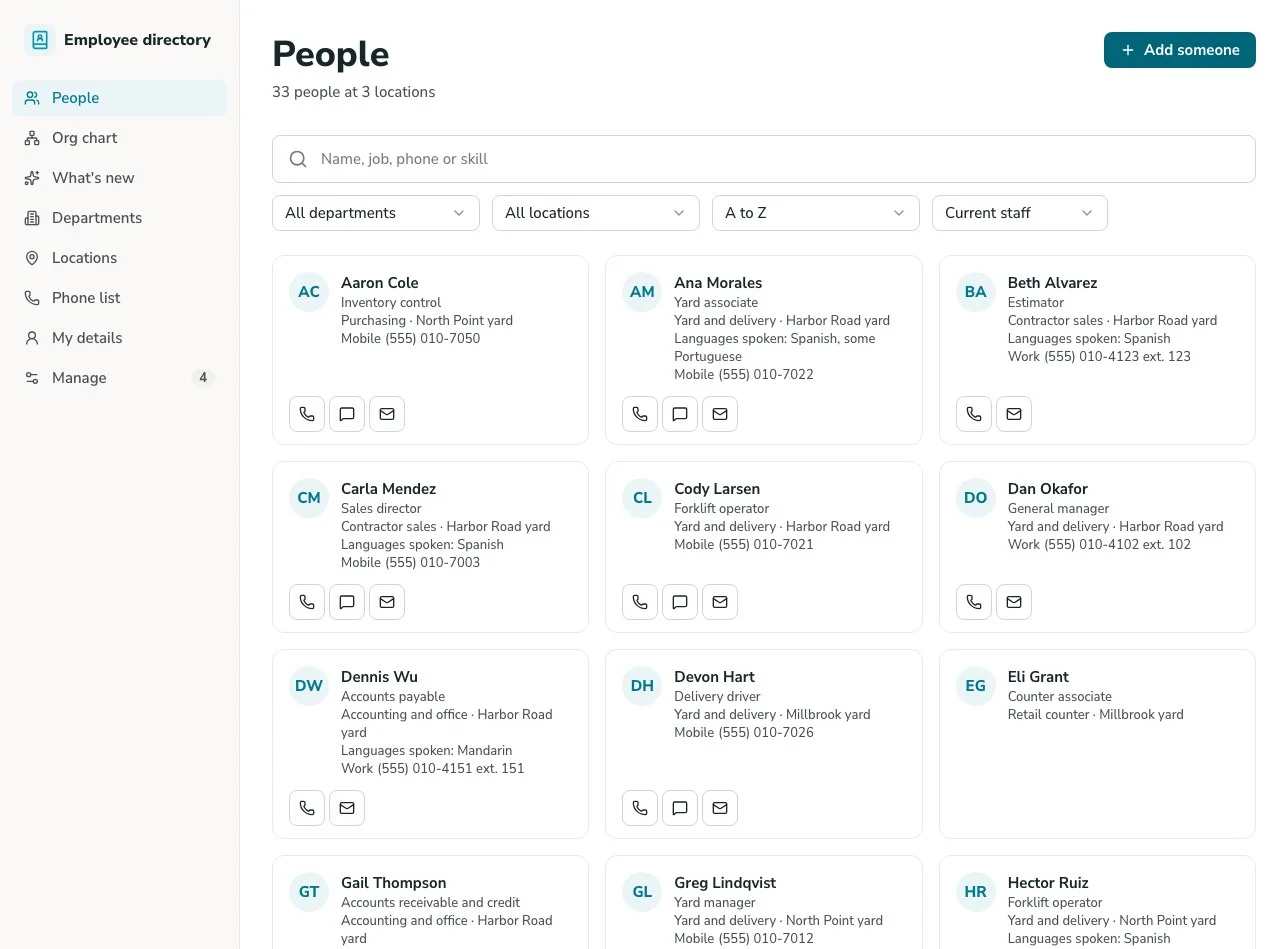
This template turns a Google Sheets staff list into a working employee directory app, complete with a real interface and instant search, without anyone digging through a spreadsheet tab to find a phone number or figure out who's on which team.
Unlike a static spreadsheet template, this system is built on GoodTaco, so you can customize every part of the directory: what fields show, how employees are grouped, and who can see or edit what. It connects directly to the Google Sheet you already use, so your staff list, formulas, and history stay exactly where they are.
Why Use This Employee Directory Template
-
Stop searching a spreadsheet for contact info: Look up a person by name, department, or role in seconds, instead of scanning rows or guessing which tab they're on.
-
Keep the directory current without manual upkeep: New hires, role changes, and departures update automatically once your sheet changes, instead of someone remembering to update a separate directory doc.
-
Give the whole company a place to look people up: Every employee gets a simple, searchable directory, without needing edit access to the underlying spreadsheet.
Template Features
-
Instant employee search Search by name, department, role, or location, pulled live from your Google Sheet, instead of scrolling a long staff list.
-
Contact information Show email, phone, and other contact details for each employee in one place, so people aren't hunting across email signatures or old directories.
-
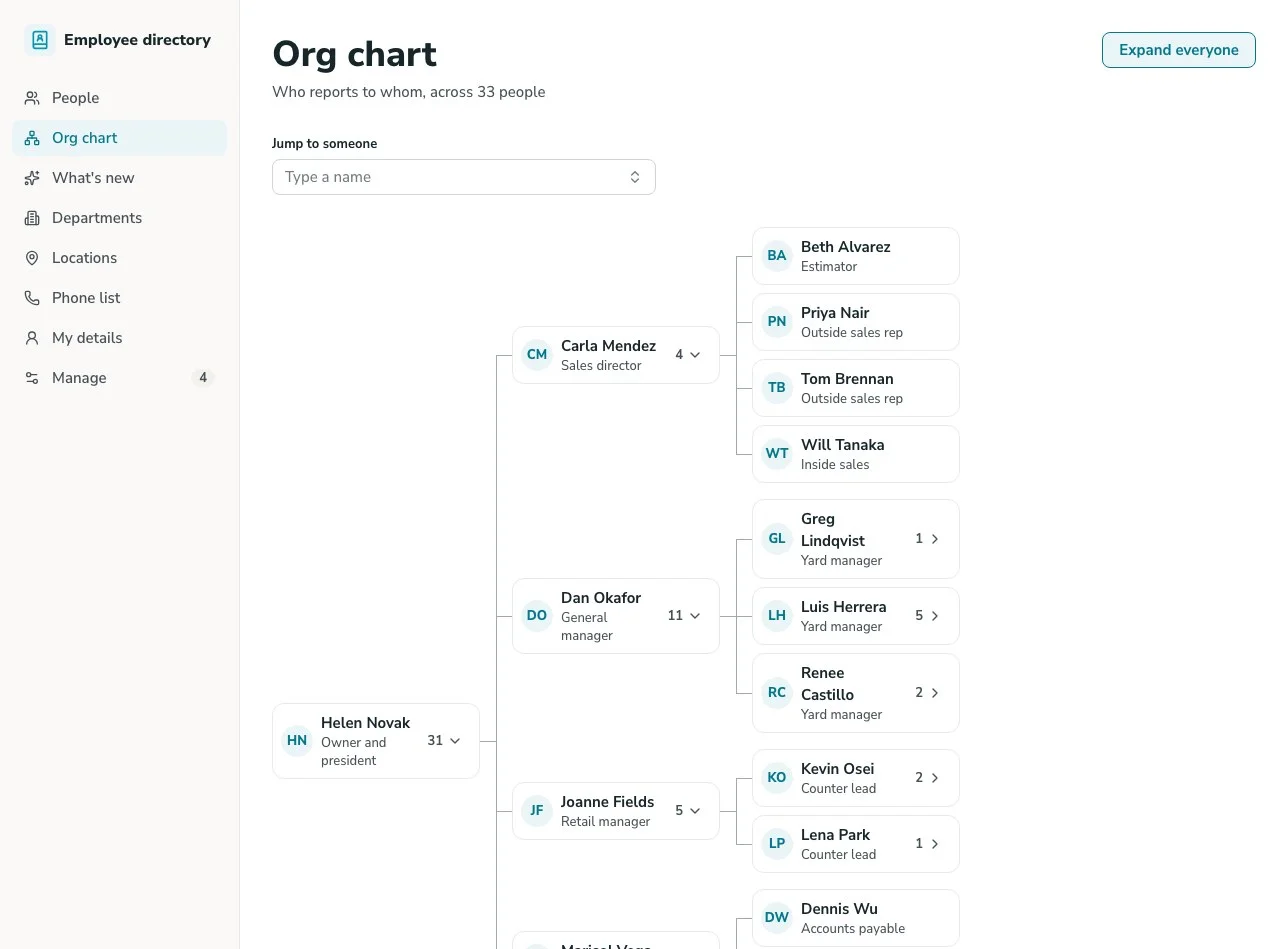
Department and team grouping Organize employees by department or team, making it easy to see who's on which team without asking around.
-
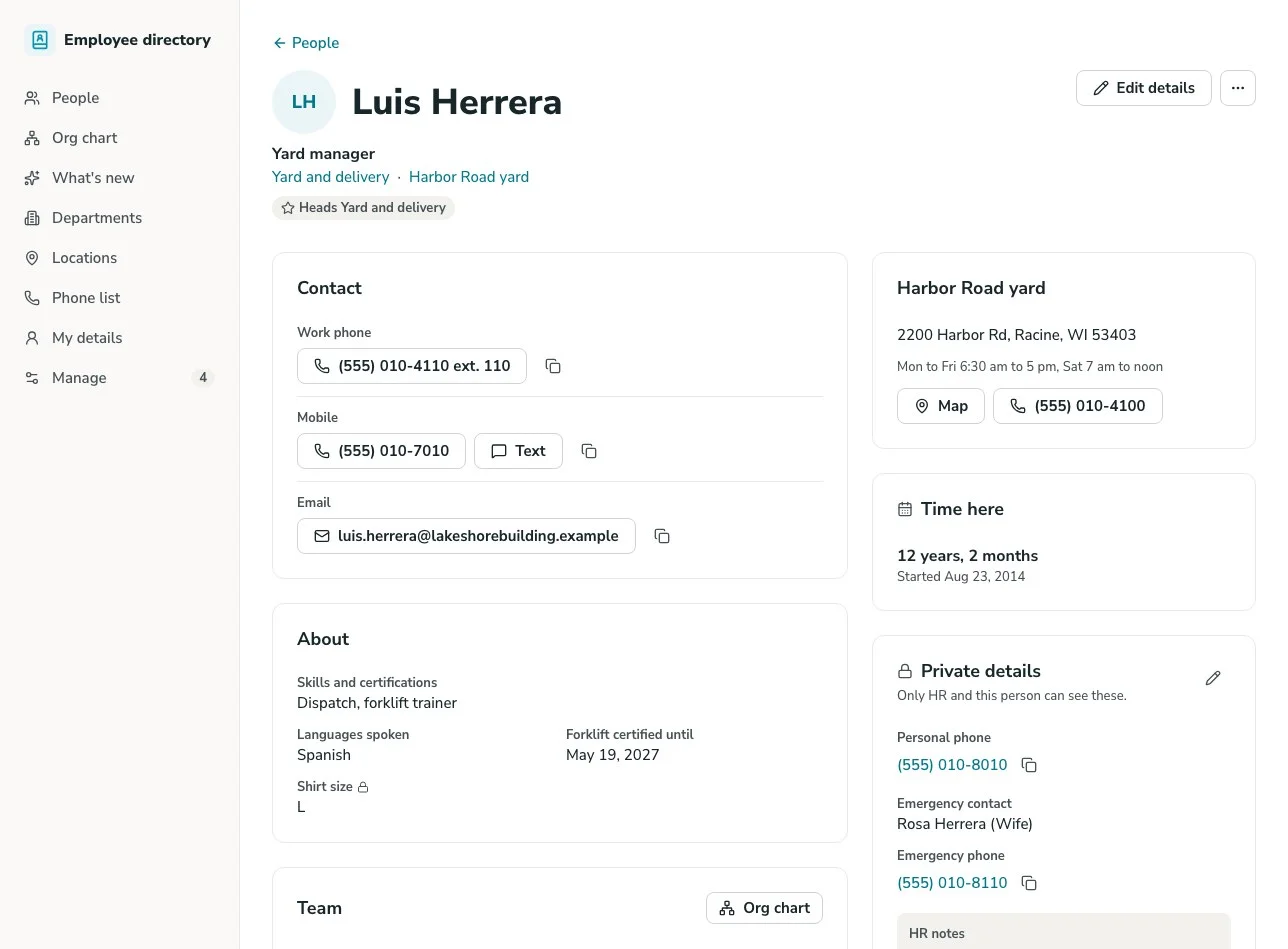
Role-based access On Pro and Enterprise, give most employees a read-only, searchable view, while HR or admins retain the ability to update records directly. No one accidentally edits someone else's information.
-
Profile detail pages Give each employee their own detail view, showing role, department, and contact info in one place instead of a single crowded row.
-
Custom fields Add fields like start date, office location, or reporting manager to your sheet at any time, and the directory picks them up. No rebuild required.
Who Is This Template For
-
Small business owners whose team has grown past the point where everyone just knows everyone's contact info by memory.
-
HR teams maintaining a staff list that the rest of the company needs to reference, without giving everyone edit access to the underlying sheet. To track each new hire's first tasks, see the onboarding checklist template.
-
Growing or remote-friendly teams where employees across departments or locations need an easy way to find and contact each other.
-
Operations teams who want a single source of truth for who's on staff, replacing an outdated directory doc or a list that lives in someone's inbox.
Setup Steps
-
Sign up with Google Sheets. Connect the spreadsheet you're already using to track staff information.
-
Connect your data. GoodTaco reads your existing columns (name, department, contact info) so you don't have to restructure anything.
-
Customize your app. Describe what you want in plain language: which fields to show, how to group employees, and who should have edit access.
-
Publish and share. Give your whole team access to the directory. Your Google Sheet stays the source of truth behind it.
Turn Your Google Sheet Into an Employee Directory
Still searching a spreadsheet every time you need someone's contact info? Turn your Google Sheet into a directory your whole team can search.
Employee Directory Template FAQs
What is an employee directory template?
An employee directory template is a pre-built structure for a searchable staff lookup, showing contact info, department, and role. This one is built on GoodTaco, so instead of a static file you copy and fill in, it's a working app connected to your Google Sheet that updates in real time.
Do I need to reformat my Google Sheet to use this?
No. GoodTaco connects to your sheet as it already exists. Clearly labeled columns help, but there's no required migration or restructuring.
Why use a template like this instead of a plain spreadsheet?
A spreadsheet works fine for HR to maintain, but it's not something you want to hand the whole company edit access to. This template gives your Google Sheet a proper, searchable directory on top, and on Pro and Enterprise, read-only access for most employees with edit access reserved for HR.
Will this replace my Google Sheet?
No. Your Google Sheet stays the source of truth. GoodTaco adds a directory interface on top of it so employees can search without opening the spreadsheet directly.
Can only certain people edit the directory?
Yes, on Pro and Enterprise. You can give most employees a read-only, searchable view, while HR or admins keep the ability to update records directly.
What happens when someone joins or leaves the company?
Update your sheet, and the directory reflects the change automatically. No separate directory doc to maintain.
Do I need to know how to code to set this up?
No. You describe what you want in plain language and GoodTaco builds the app around your existing sheet. No developer or technical setup required.
Is employee data secure in the directory?
Your data stays in your Google Sheet. Connected data sources use OAuth, so you never share their passwords with GoodTaco. On Pro and Enterprise, private apps ask people to sign in before they see any data, with access limited to the users or roles you choose.