Issue Tracker Template for Google Sheets
Turn an issue log into a real issue tracker template your whole team can use, with status, ownership, and priority in one place.
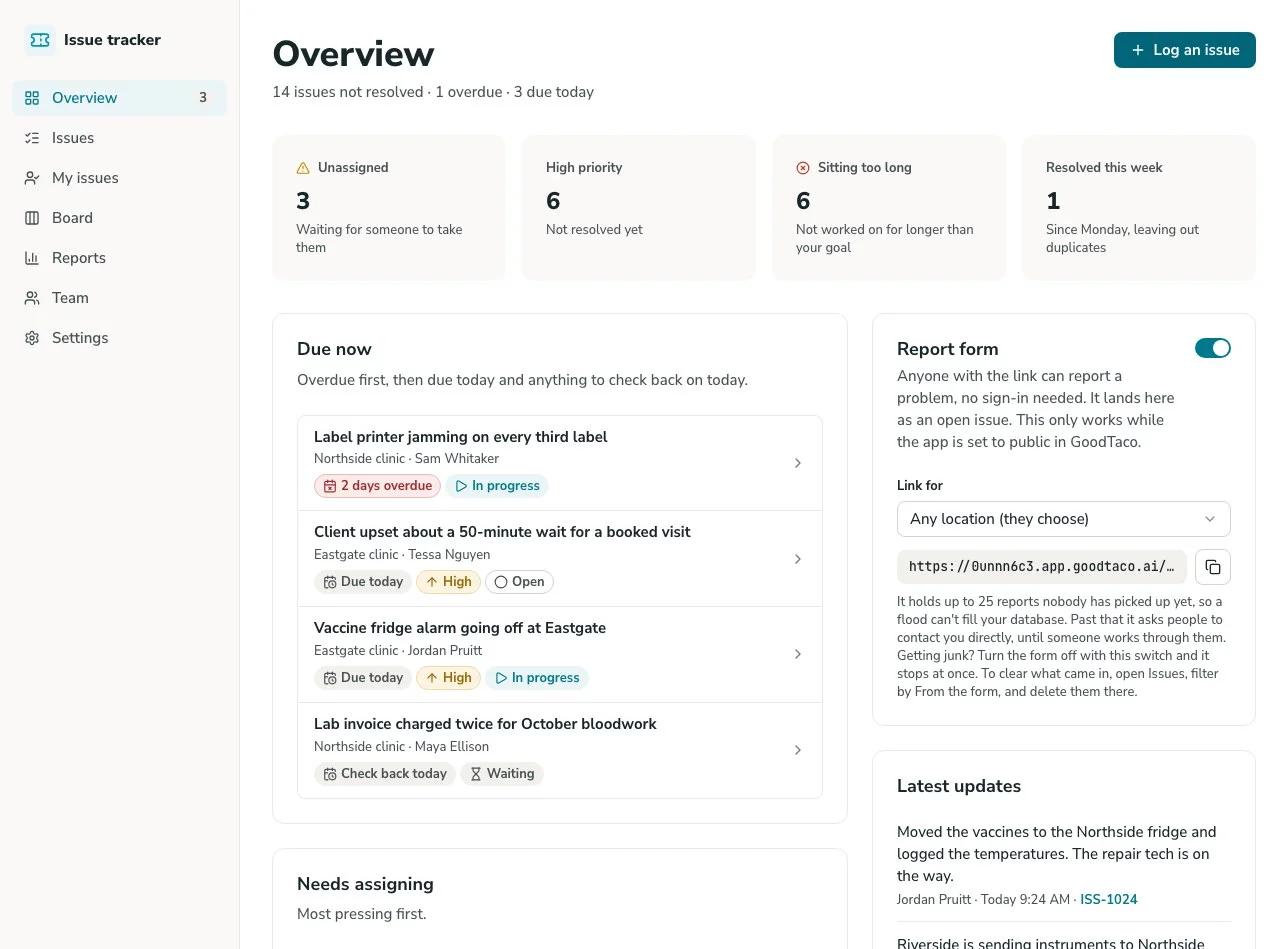
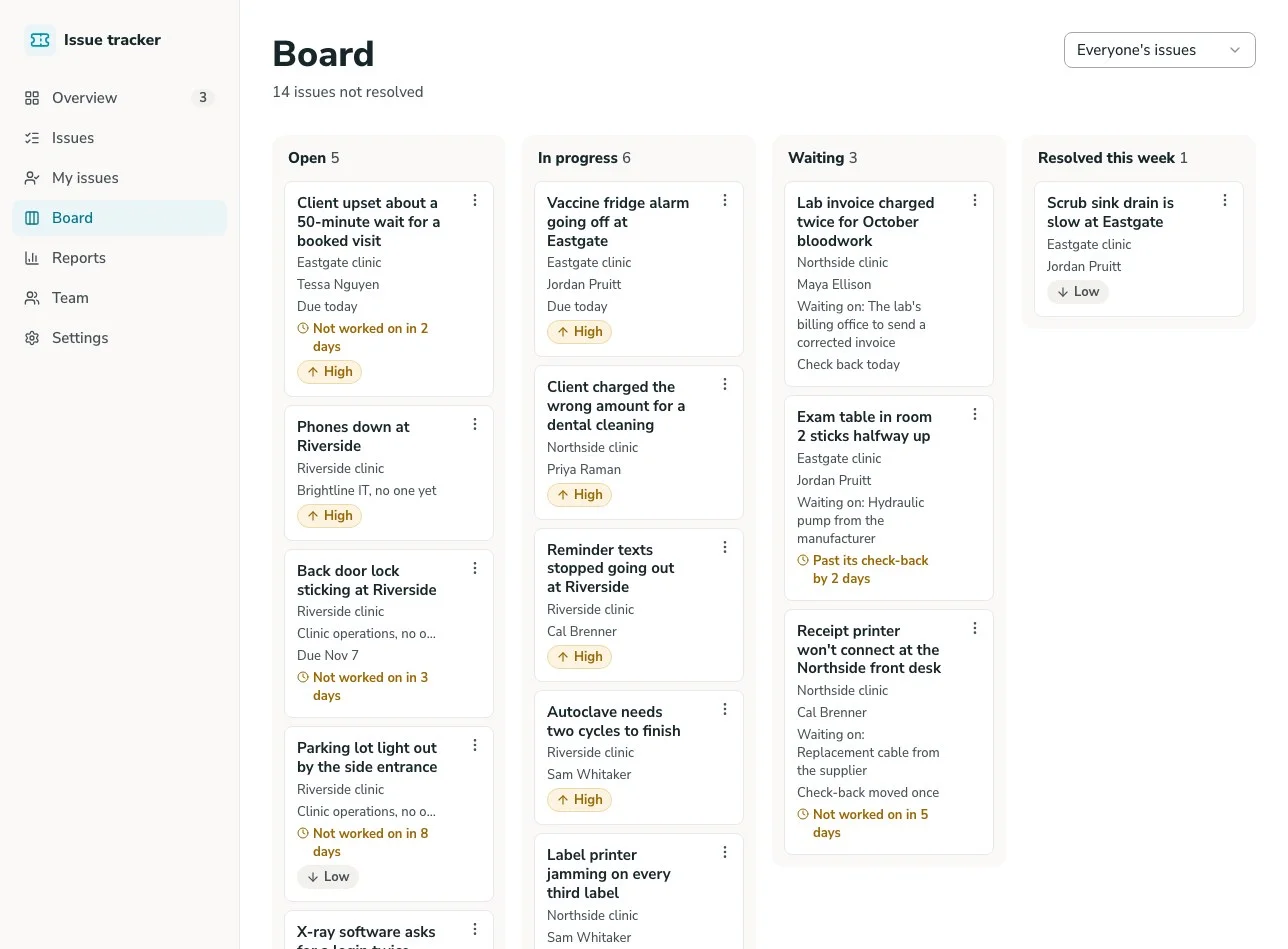
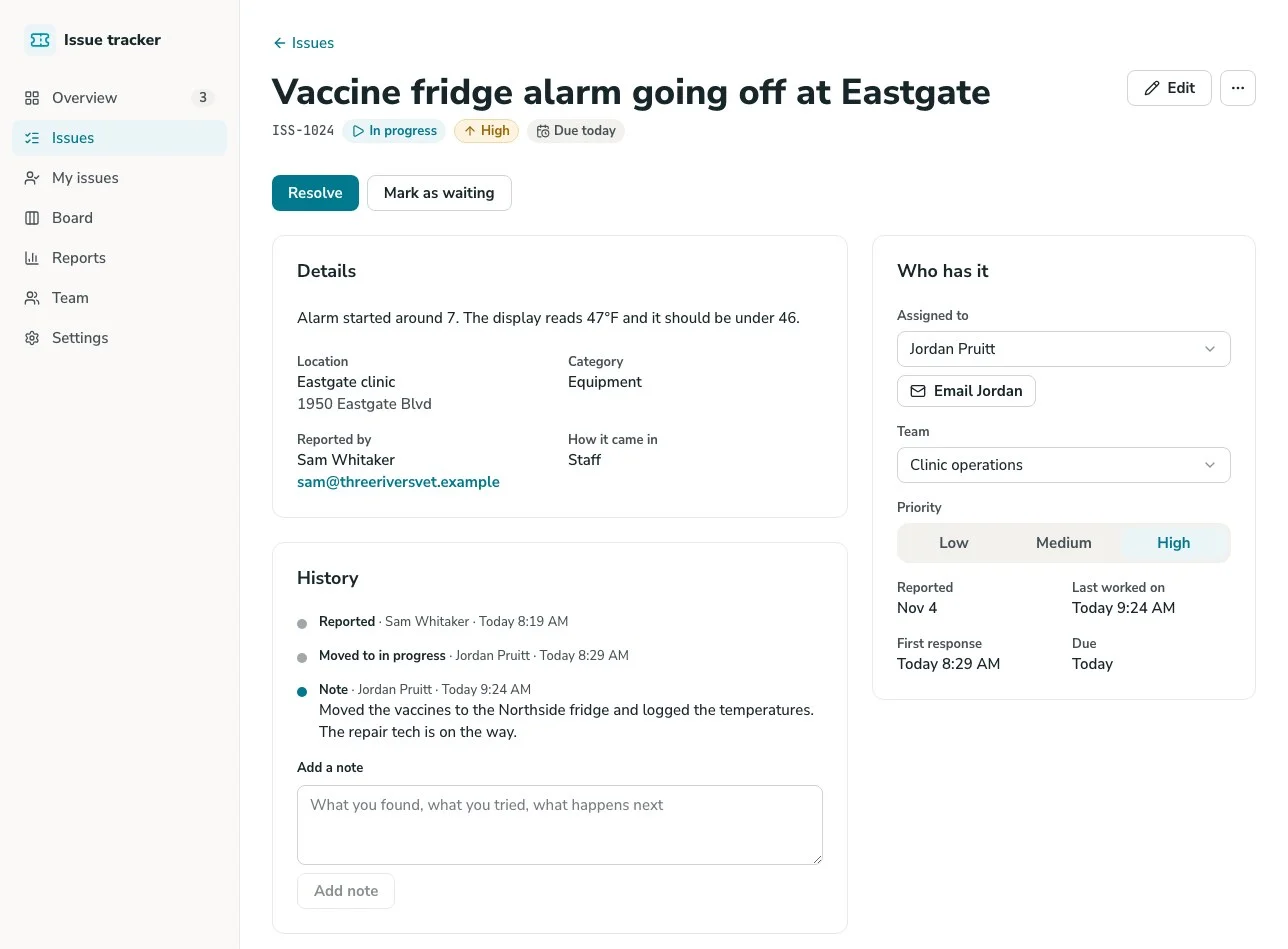
Issue Tracker Template Overview
This template turns a Google Sheets issue log into a working ticket tracker app, complete with a real interface, status, and ownership, without anyone digging through a spreadsheet to find out whether an issue was ever actually resolved.
Unlike a static spreadsheet template, this system is built on GoodTaco, so you can customize every part of your issue tracking: how tickets are categorized, how status updates, and who can see or edit what. It connects directly to the Google Sheet you already use, so your issue log, formulas, and history stay exactly where they are.
Why Use This Issue Tracker Template
-
Stop losing issues in a log nobody revisits: Give every issue a clear owner and status, so it doesn't get logged once and forgotten.
-
Catch a stalled ticket before it becomes a bigger problem: See what's open, what's in progress, and what's been sitting too long, so a ticket doesn't quietly wait weeks for a response.
-
Give every role the view they need: On Pro and Enterprise, team members sign in and see the tickets assigned to them. Managers see everything. No one has to scroll a shared sheet to find what's theirs.
Template Features
Ticket logging
Log issues with description, category, and priority, pulled live into your Google Sheet, instead of filling out a shared spreadsheet row.
Status tracking
Move tickets through statuses like Open, In Progress, and Resolved in a real interface, so anyone can check where something stands.
Priority levels
Flag tickets as low, medium, or high priority, so the most urgent issues don't get buried behind routine ones.
Ownership and assignment
Assign tickets to a specific person or team, so it's always clear who's responsible for the next step.
On Pro and Enterprise, give team members a view scoped to their own assigned tickets, while managers and admins see everything. No one has to dig through tickets that aren't theirs.
Notes and resolution history
Attach notes to a ticket, like what was done to resolve it, keeping context attached instead of scattered across email or chat.
Who Is This Template For
-
Small business owners fielding internal issues or customer problems without a dedicated ticketing platform built for larger IT or support teams.
-
IT and operations teams tracking internal requests and issues, where visibility into what's open and who owns it matters more than a single person's memory.
-
Customer support teams logging and resolving customer-reported problems, where priority and ownership need to be clear to the whole team.
-
Agencies and service teams tracking issues across multiple clients, where each ticket needs to stay organized and followed through to resolution.
Setup Steps
-
Sign up with Google Sheets. Connect the spreadsheet you're already using to log issues.
-
Connect your data. GoodTaco reads your existing columns (issue, status, priority) so you don't have to restructure anything.
-
Customize your app. Describe what you want in plain language: status categories, priority levels, and who should see what.
-
Publish and share. Give your team access to the app. Your Google Sheet stays the source of truth behind it.
Turn Your Google Sheet Into an Issue Tracker
Still logging issues in a spreadsheet nobody follows up on? Turn your Google Sheet into a ticket tracker your whole team can rely on.
Issue Tracker Template FAQs
What is an issue tracker template?
An issue tracker template is a pre-built structure for logging issues or tickets and tracking their status through to resolution. This one is built on GoodTaco, so instead of a static file you copy and fill in, it's a working app connected to your Google Sheet that updates in real time.
Do I need to reformat my Google Sheet to use this?
No. GoodTaco connects to your sheet as it already exists. Clearly labeled columns help, but there's no required migration or restructuring.
Is this built for tracking software bugs?
This template is built for general operational issue and ticket tracking, like IT requests, internal problems, or customer support tickets, rather than software bug tracking for development teams.
Why use a template like this instead of a plain spreadsheet?
A spreadsheet holds the issue log, but there's no way to notify an owner, flag priority, or see status at a glance without manually reviewing every row. This template gives your Google Sheet a proper app on top: status tracking, ownership, and permissions, while your data stays exactly where it is.
Can I prioritize urgent issues over routine ones?
Yes. Tickets can be flagged by priority, so the most urgent issues are visible instead of buried behind routine ones.
Will this replace my Google Sheet?
No. Your Google Sheet stays the source of truth. GoodTaco adds an app interface on top of it so your team can work without opening the spreadsheet directly.
Do I need to know how to code to set this up?
No. You describe what you want in plain language and GoodTaco builds the app around your existing sheet. No developer or technical setup required.
Is my issue tracking data secure?
Your data stays in your Google Sheet. Connected data sources use OAuth, so you never share their passwords with GoodTaco. On Pro and Enterprise, private apps ask people to sign in before they see any data, with access limited to the users or roles you choose.