Search Records Instantly With a Google Sheets Database Template
Turn a spreadsheet of records into a real Google Sheets database template your team can actually search, with instant lookups, filtered views, and access you control.
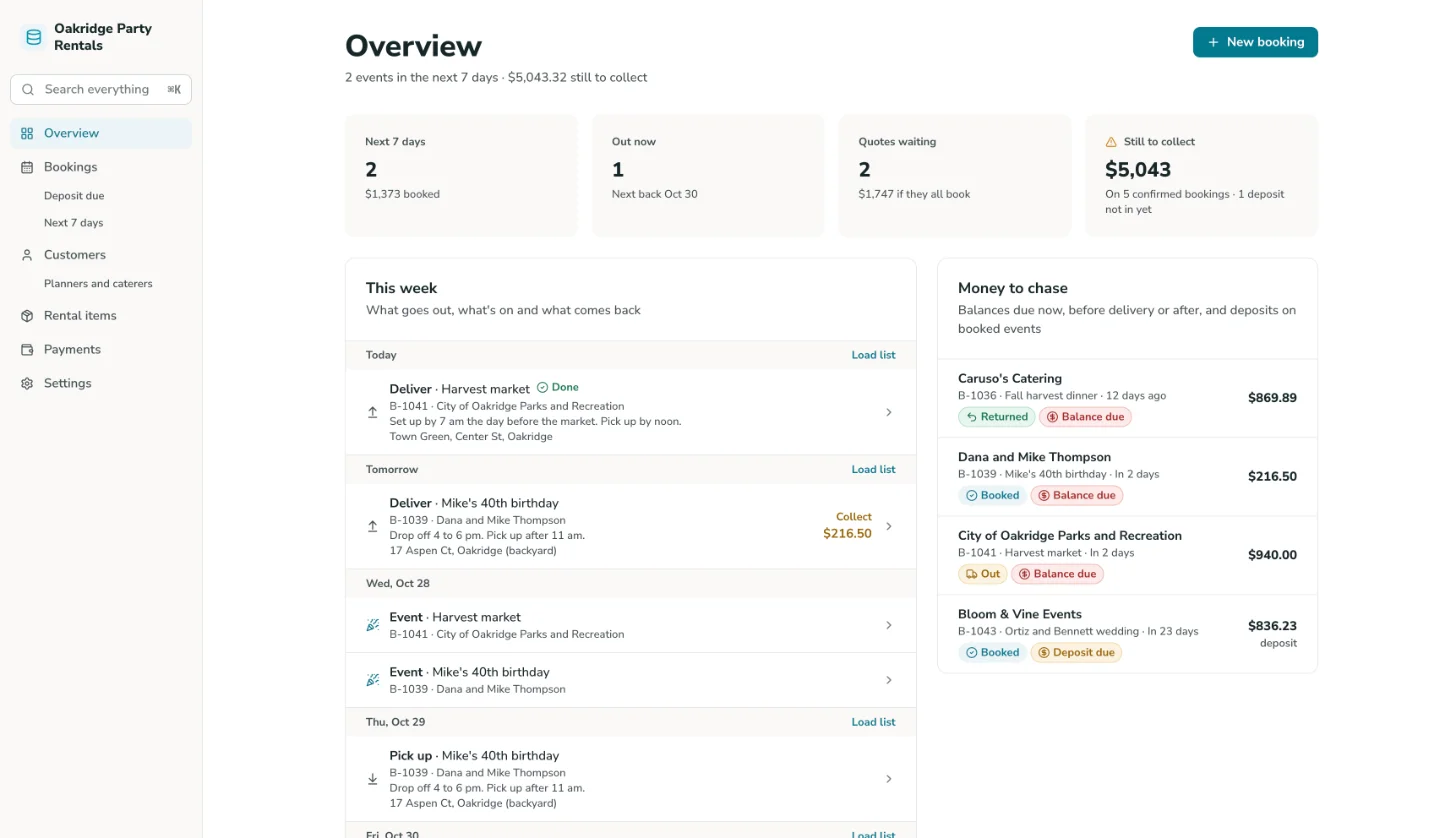
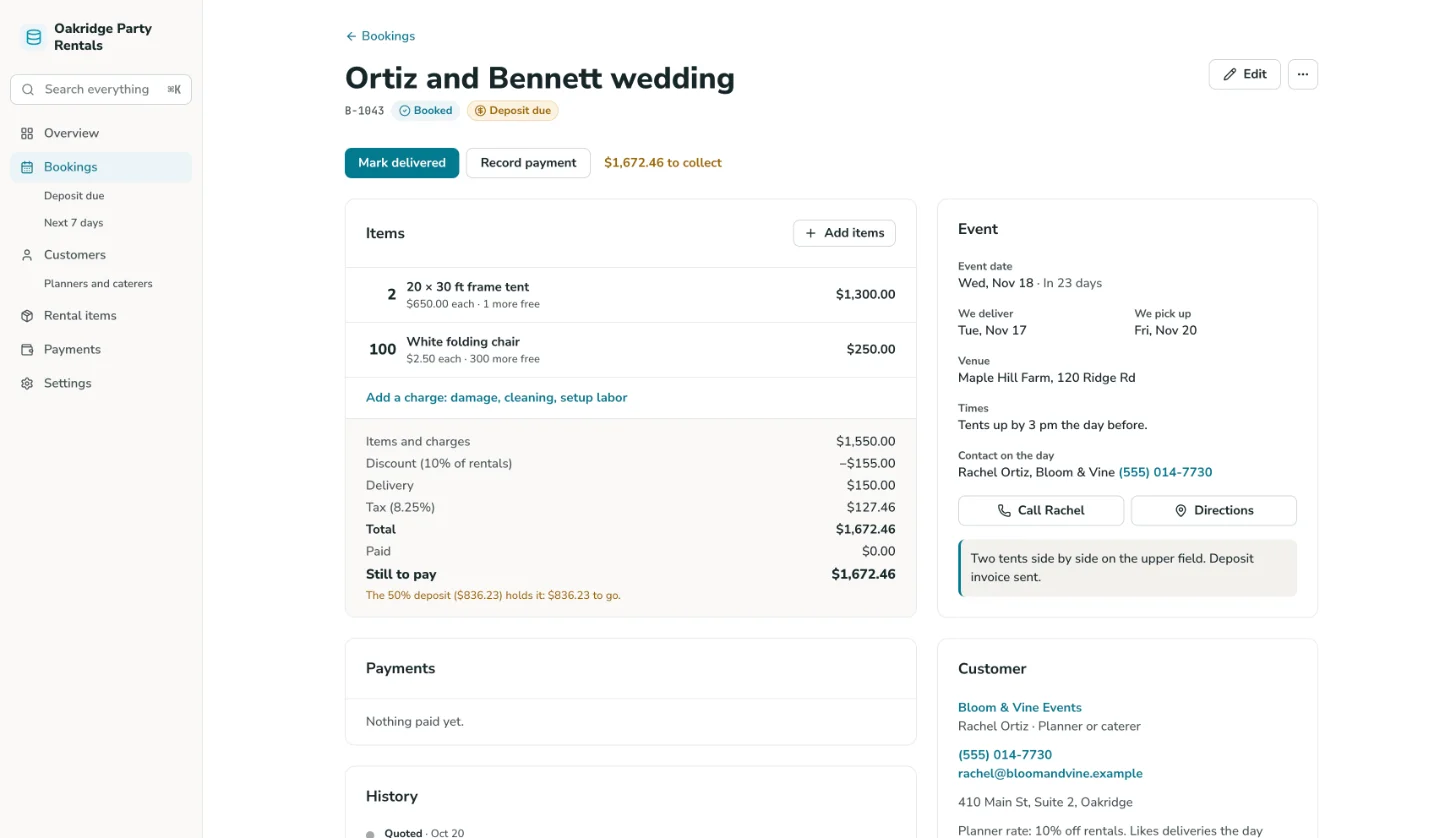
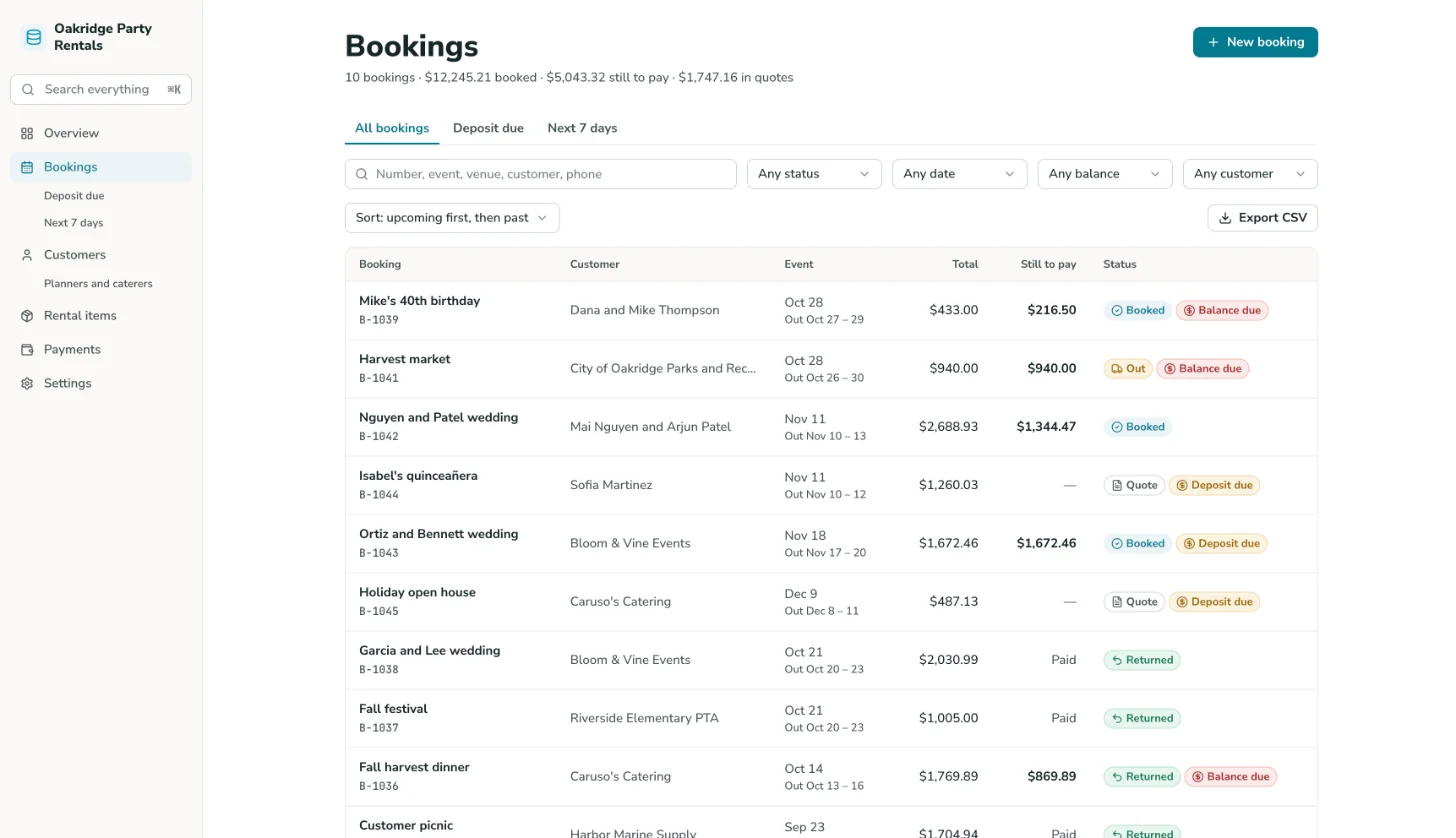
Google Sheets Database Overview
Transform your record-filled Google Sheets into an intuitive, functional database application. This template equips your team with interactive interfaces, rapid search capabilities, and customizable filtered views, eliminating manual tab browsing and guesswork. To set up the sheet first, read the guide to setting up a sheet as a database.
Powered by GoodTaco, this dynamic solution goes beyond traditional static spreadsheets. It enables full customization of data architecture, search parameters, filter criteria, and role-based permissions while maintaining a direct connection to your existing Google Sheet to safeguard your formulas, data history, and workflows.
Why Use This Database Template
-
Stop hunting for a record across scattered tabs: Search instantly across every field, instead of scrolling and guessing which tab or spelling someone else used.
-
Catch data before it grows unmanageable: A spreadsheet slows down as it grows. This template is built to handle records well beyond what's practical to scroll through, whether that's a few hundred rows or tens of thousands.
-
Give every role the access they need: Team members search and view records scoped to their role. Admins see everything. No one has to dig through data that isn't theirs.
Template Features
-
Instant search Search across every field in your records, pulled live from your Google Sheet, instead of manually scanning rows.
-
Filtered views Filter records by category, status, or any field you've defined, so your team finds what they need without scrolling the whole sheet.
-
Role-based access Give team members a view scoped to the records relevant to them, while admins see the full database. No one accidentally edits a record outside their scope.
-
Record detail pages Give every record its own detail view, showing all related fields and information in one place instead of a single crowded row.
-
Custom fields Add new fields or record types to your sheet at any time, and the database interface picks them up. No rebuild required.
-
High record volume support Built to handle databases well beyond what's practical to scroll through manually, whether that's a few hundred records or tens of thousands.
Who Is This Template For
-
Small business owners with a spreadsheet of records that's grown past the point where anyone can find something quickly.
-
HR teams managing employee records, where searchable, scoped access matters more as headcount grows.
-
Client-facing teams managing customer or client records, where instant search and role-based access replace scrolling through a shared tab.
-
Operations teams tracking any high-volume record set, like assets, vendors, or inventory items, where a plain spreadsheet has become too large to search manually.
Setup Steps
-
Sign up with Google Sheets. Connect the spreadsheet where you already keep your records.
-
Connect your data. GoodTaco reads your existing columns so you don't have to restructure anything.
-
Customize your app. Describe what you want in plain language: search fields, filters, and who should see what.
-
Publish and share. Give your team access to the app. Your Google Sheet stays the source of truth behind it.
Transform Your Google Sheet Into a Team-Ready Database
Still hunting for records across scattered spreadsheet tabs? Turn your Google Sheet into a database your whole team can actually search.
Google Sheets Database Template FAQs
What is a database template?
A database template is a pre-built structure for turning a spreadsheet of records into something searchable. This one is built on GoodTaco, so instead of a static file you copy and fill in, it's a working app connected to your Google Sheet that updates in real time.
Do I need to reformat my Google Sheet to use this?
No. GoodTaco connects to your sheet as it already exists. Clearly labeled columns help, but there's no required migration or restructuring.
Why use a template like this instead of a plain spreadsheet?
A spreadsheet gets harder to search as it grows, and there's no way to scope who sees what. This template gives your Google Sheet a proper database on top: instant search, filtered views, and permissions, while your data stays exactly where it is.
How many records can this handle?
GoodTaco is built to handle databases well beyond what's practical to scroll through manually, whether that's a few hundred records or tens of thousands.
Will this replace my Google Sheet?
No. Your Google Sheet stays the source of truth. GoodTaco adds a database interface on top of it so your team can search and browse without opening the spreadsheet directly.
Can I scope access so people only see certain records?
Yes. You can give team members a view scoped to the records relevant to their role, while admins see the full database.
What happens if I need to add a new field or record type later?
Add it to your sheet, and GoodTaco's interface picks it up. No rebuild required.
Do I need to know how to code to set this up?
No. You describe what you want in plain language and GoodTaco builds the app around your existing sheet. No developer or technical setup required.
Is my record data secure?
Your data stays in your Google Sheet, and access to the app is controlled by the roles and permissions you set.