Turn a Contact Sheet Into a Google Sheets CRM Template
Turn a contact sheet into a real Google Sheets CRM template your team actually uses, with pipeline stages, ownership, and activity tracking built in.
Google Sheets CRM Overview
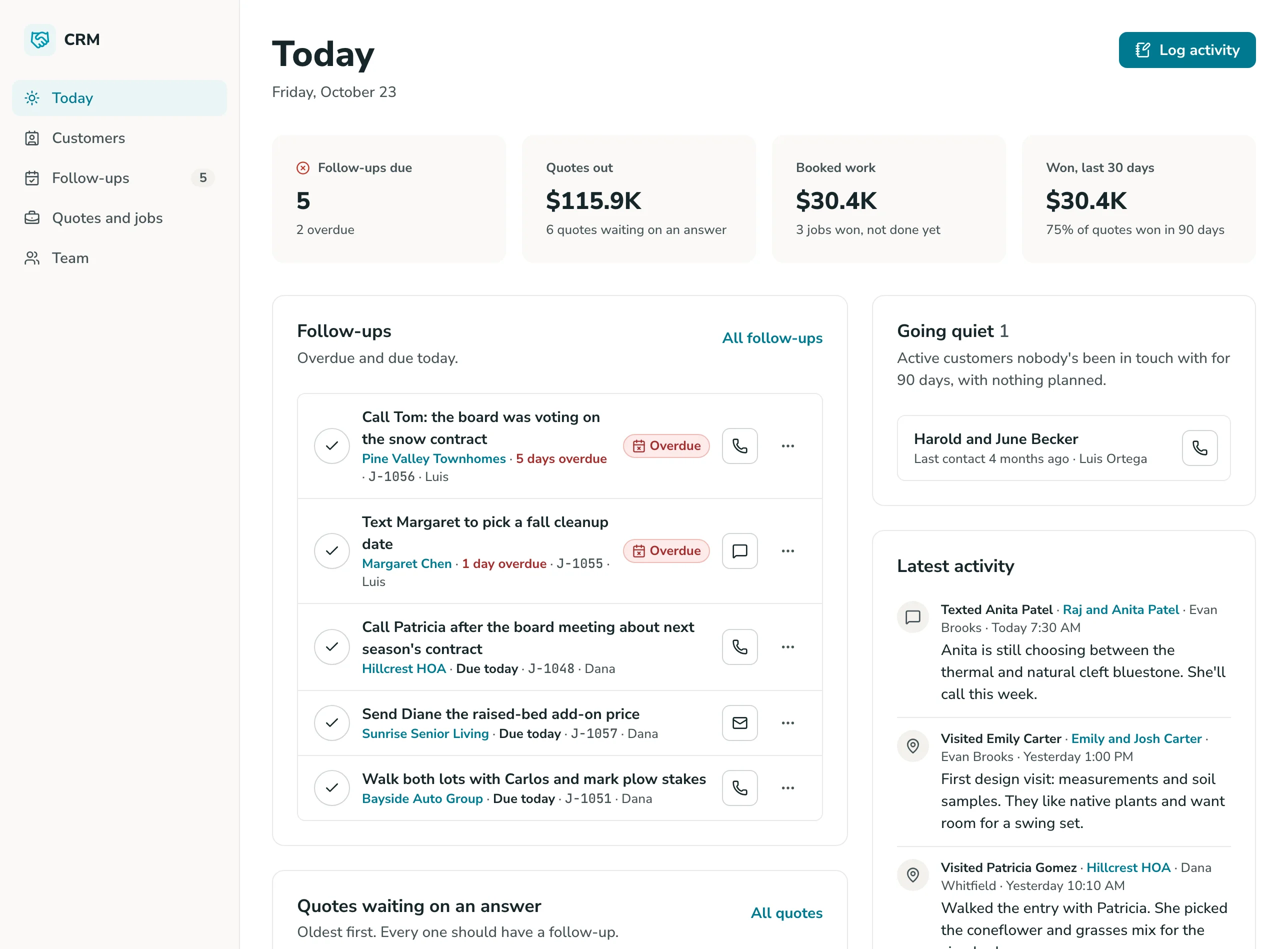
This template turns a Google Sheets contact list into a working CRM app, complete with a real interface, pipeline stages, and deal ownership, without asking anyone on your team to open a spreadsheet to check where a lead stands.
Unlike a static spreadsheet template, this system is built on GoodTaco, so you can customize every part of your CRM: how pipeline stages are structured, how deals get logged, and who can see or edit what. It connects directly to the Google Sheet you already use, so your contacts, formulas, and history stay exactly where they are.
Why Use This CRM Template
-
Stop losing track of whose lead is whose: Give every contact a clear owner and a pipeline stage that updates in a real interface, instead of a shared tab where ownership gets lost the moment two people edit it.
-
Catch stalled deals before they go cold: See what stage every deal is in and when it last moved, so a lead doesn't sit untouched for weeks without anyone noticing.
-
Give every role the view they need: Reps get a pipeline scoped to their own deals. Managers get the full team view. No one has to dig through someone else's rows to find their own leads.
Template Features
-
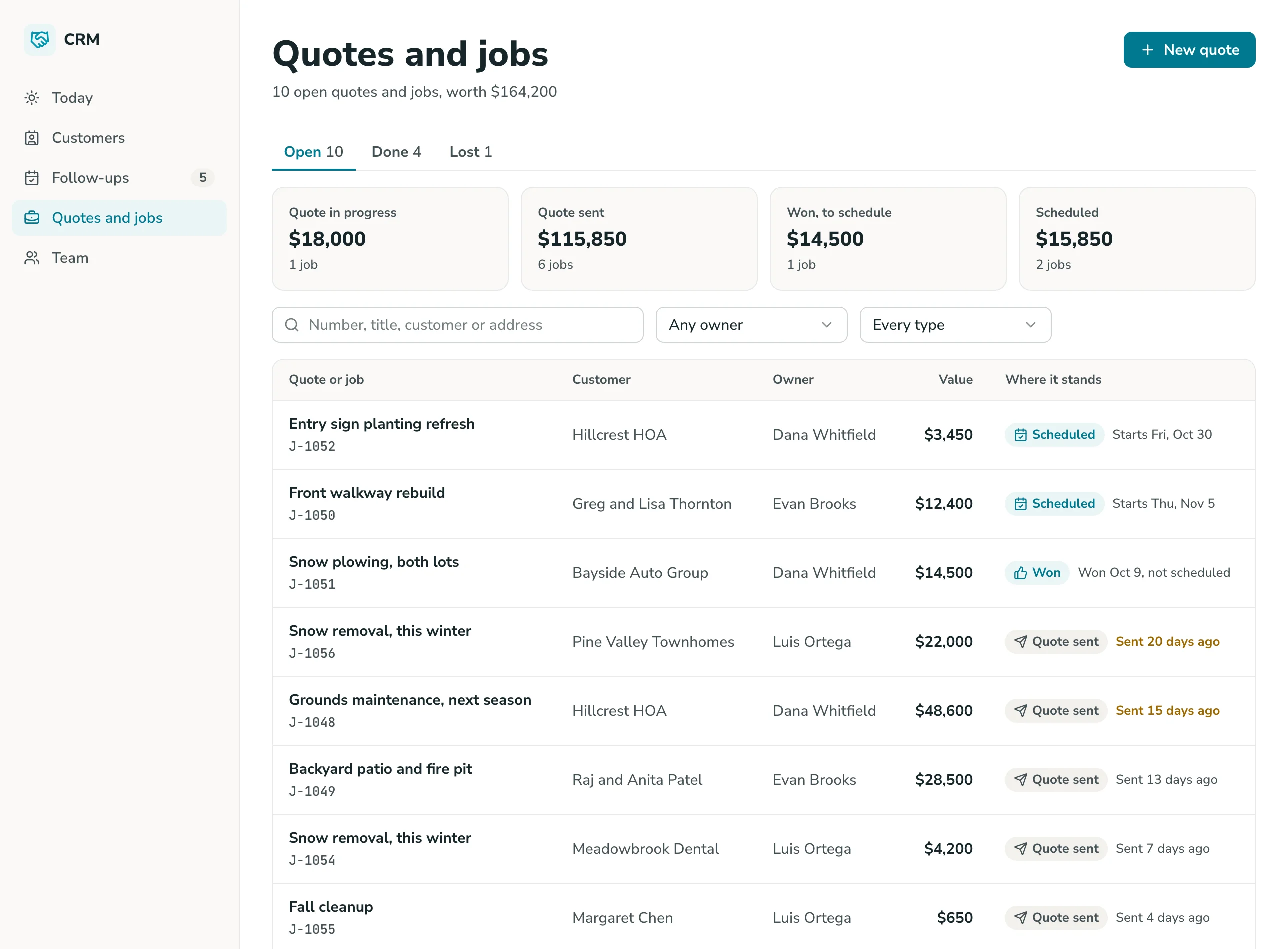
Pipeline and deal stages Move contacts through stages like New, Contacted, and Closed in a real interface, pulled live from your Google Sheet.
-
Deal ownership Assign every contact or deal to a specific rep, so it's always clear who's responsible for the next step.
-
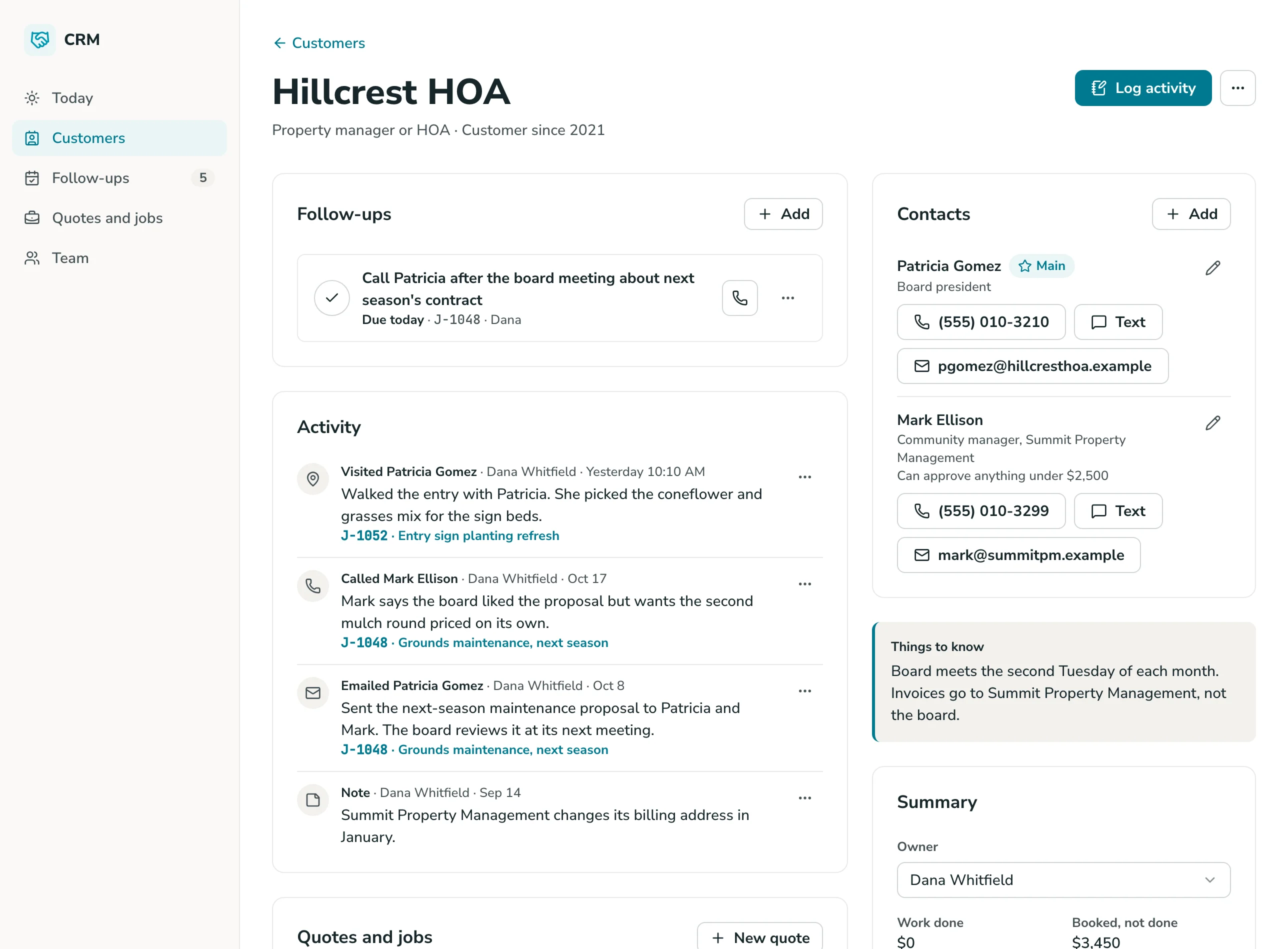
Activity tracking Log calls, emails, and notes against a contact, keeping the full history in one place instead of scattered across inboxes.
-
Role-based access Give reps a pipeline view scoped to their own deals, while managers and leads see the full team pipeline. No one accidentally edits someone else's contact.
-
Account and contact grouping Track accounts and the contacts within them, with deal and activity status tied to the account level, useful for B2B or account-based selling.
-
Custom fields and pipelines Add new fields or pipelines to your sheet at any time, and the CRM interface picks them up. No rebuild required.
Who Is This Template For
-
Small business owners who've outgrown a contacts tab but don't want to adopt a full CRM platform built for larger sales teams.
-
Sales teams and reps who need a real pipeline view with clear ownership, instead of arguing over whose lead is whose in a shared spreadsheet.
-
Accountants and client-facing firms managing client relationships and follow-ups, where a plain contact list makes it hard to see who needs outreach and when.
-
Construction and field sales teams tracking bids, estimates, and client contacts across projects, where deal stage and next steps need to be visible to the whole team, not just whoever built the sheet.
Setup Steps
-
Sign up with Google Sheets. Connect the spreadsheet you're already using to track contacts and leads.
-
Connect your data. GoodTaco reads your existing columns (contacts, stage, owner) so you don't have to restructure anything.
-
Customize your app. Describe what you want in plain language: pipeline stages, ownership rules, and who should see what.
-
Publish and share. Give your team access to the app. Your Google Sheet stays the source of truth behind it.
Convert Your Google Sheet Into a CRM
Still tracking leads in a contact tab nobody agrees on? Turn your Google Sheet into a CRM your whole team can actually trust.
Google Sheets CRM Template FAQs
What is a CRM template?
A CRM template is a pre-built structure for tracking contacts, deals, and pipeline stages. This one is built on GoodTaco, so instead of a static file you copy and fill in, it's a working app connected to your Google Sheet that updates in real time.
Do I need to reformat my Google Sheet to use this?
No. GoodTaco connects to your sheet as it already exists. Clearly labeled columns help, but there's no required migration or restructuring.
Why use a template like this instead of a plain spreadsheet?
A spreadsheet gives you rows and formulas, but no real interface, and anyone who touches it can lose track of who owns what. This template gives your Google Sheet a proper app on top: pipeline views, activity tracking, and permissions, while your data stays exactly where it is.
Can multiple reps update the pipeline at the same time?
Yes. GoodTaco gives each person their own view based on their role, so reps can update their own deals without overwriting someone else's changes.
Will this replace my Google Sheet?
No. Your Google Sheet stays the source of truth. GoodTaco adds an app interface on top of it so your team can work without opening the spreadsheet directly.
Does this work for account-based or B2B sales, not just individual leads?
Yes. You can track accounts and the contacts within them, with deal and activity status tied to the account level.
What happens as my team grows?
You can add new team members, pipelines, or fields to your sheet at any time, and the CRM interface updates to reflect them. No rebuild required.
Do I need to know how to code to set this up?
No. You describe what you want in plain language and GoodTaco builds the app around your existing sheet. No developer or technical setup required.
Is my contact data secure?
Your data stays in your Google Sheet, and access to the app is controlled by the roles and permissions you set.