Give Clients Their Own Login With a Client Portal Template
Turn a client tracker into a real client portal template your clients can log into directly, with status, files, and updates they can check themselves.
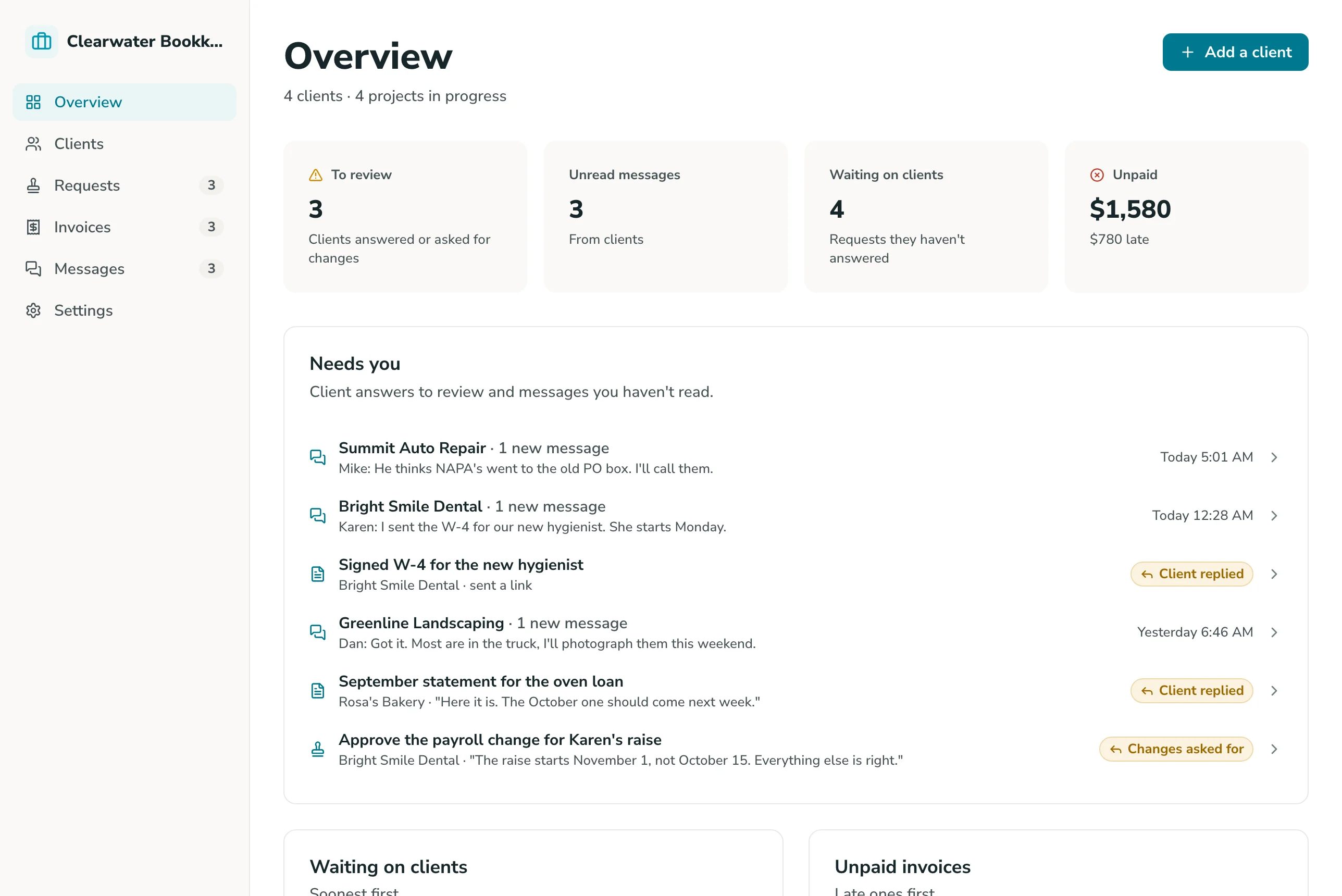
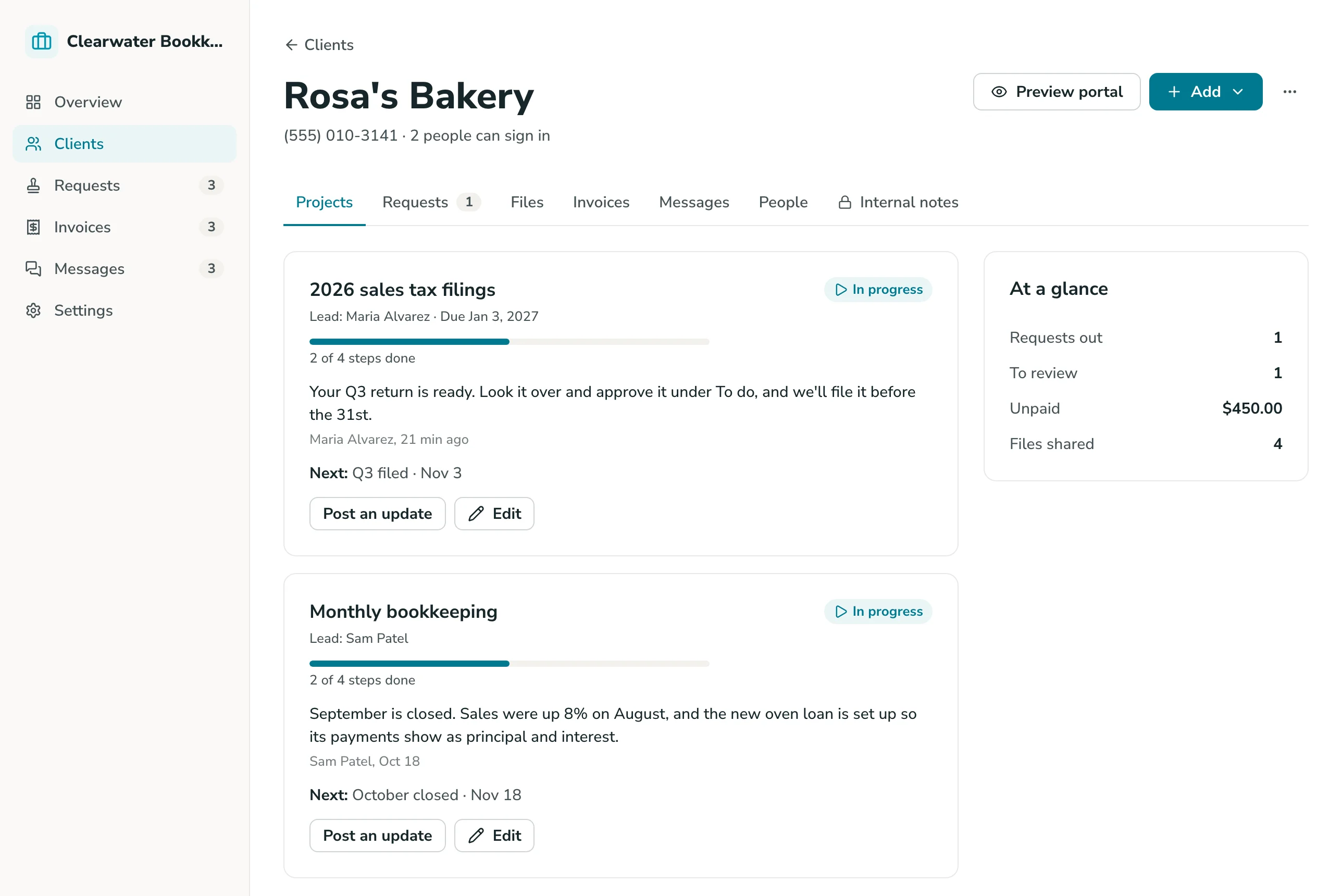
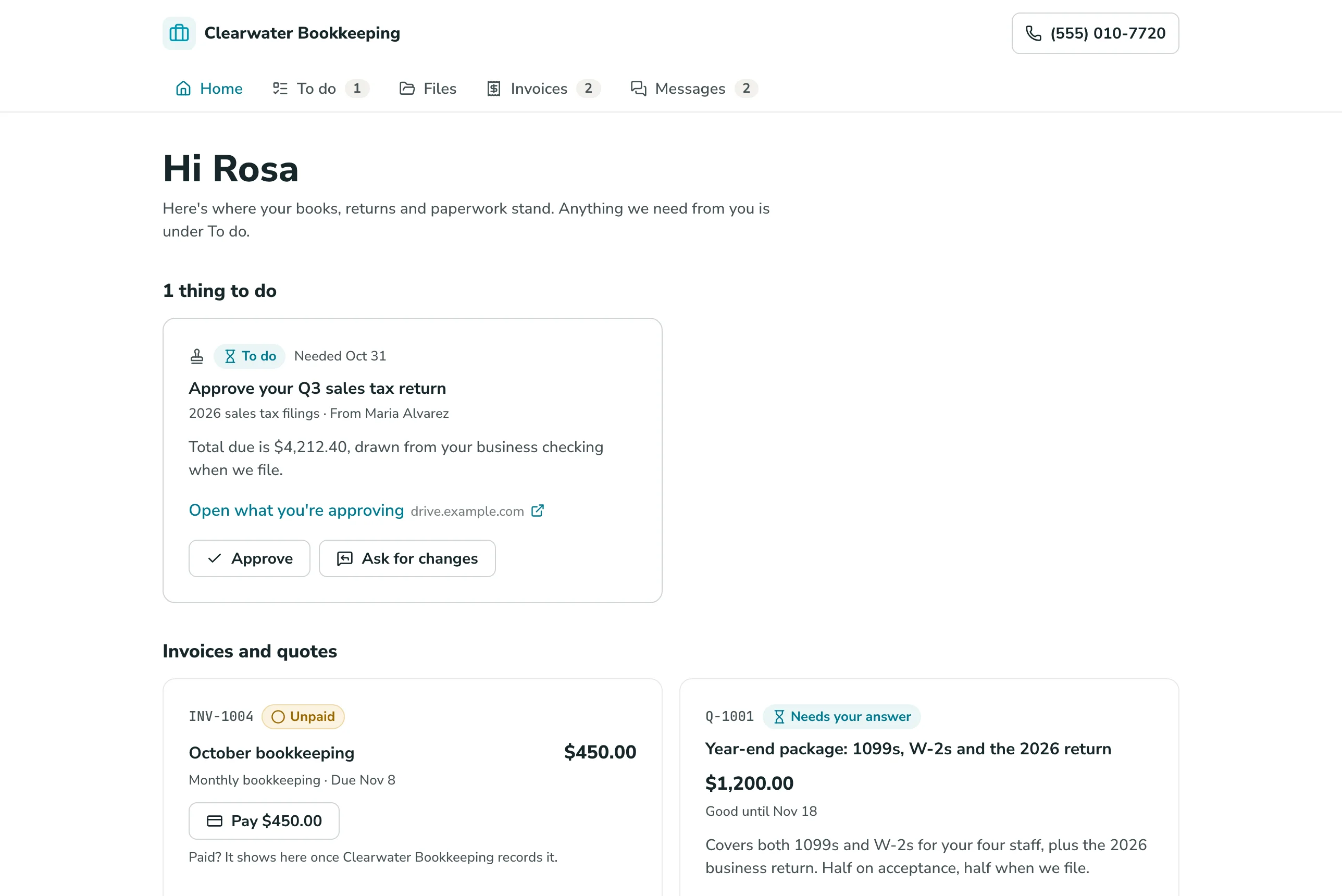
Google Sheets Client Portal Overview
Transforming your Google Sheets client tracker into a client portal delivers a dedicated workspace, robust security, and instant status updates, saving your team from endless status emails.
Powered by GoodTaco, this dynamic solution lets you tailor all aspects of the client experience, including view permissions, status workflows, and document access. Because it integrates directly with your existing Google Sheet, your original records, business logic, and history remain intact.
Why Use This Client Portal Template
-
Stop answering the same status question over and over: Give clients a place to check progress themselves, so a status update doesn't require an email every time.
-
Keep client data scoped to the right client: Each client logs in and sees only their own record, not the whole sheet, so there's no risk of one client seeing another's information.
-
Give clients a way to submit, not just view: Let clients submit new requests, documents, or information directly into the same sheet your team already works from.
Template Features
-
Secure client login Give each client their own login, so they see a portal scoped to their own record, pulled live from your Google Sheet.
-
Status visibility Let clients check the status of their project, request, or account themselves, instead of emailing your team for an update.
-
File and document access Give clients access to their own files and documents directly in the portal, without digging through email attachments.
-
Intake forms Let clients submit new requests, documents, or information directly into the portal, landing in the same sheet your team works from.
-
Scoped access per client Each client sees their own record only. No client can see another client's data, project, or files.
-
Activity and update history Keep a record of what's been shared, submitted, or updated for each client, so context isn't lost across email threads.
Who Is This Template For
-
Small business owners who field the same status questions repeatedly and want clients to have a self-serve place to check in.
-
Accountants and professional services firms managing document exchange and status updates with clients, where privacy between client records matters most.
-
Agencies and service teams managing multiple client projects at once, where each client needs their own scoped view without seeing anyone else's work.
-
Founders and early-stage teams managing client relationships directly, who need a professional client-facing touchpoint without building custom software.
Setup Steps
-
Sign up with Google Sheets. Connect the spreadsheet you're already using to track clients.
-
Connect your data. GoodTaco reads your existing columns (client records, status, files) so you don't have to restructure anything.
-
Customize your app. Describe what you want in plain language: what clients see, login access, and intake forms.
-
Publish and share. Send clients their login. Your Google Sheet stays the source of truth behind it.
Turn Your Google Sheet Into a Client Portal
Still answering the same status emails on repeat? Turn your Google Sheet into a client portal your clients can check themselves.
Client Portal Template FAQs
What is a client portal template?
A client portal template is a pre-built structure for giving clients a secure place to check status and access their own information. This one is built on GoodTaco, so instead of a static file you copy and fill in, it's a working app connected to your Google Sheet that updates in real time.
Do I need to reformat my Google Sheet to use this?
No. GoodTaco connects to your sheet as it already exists. Clearly labeled columns help, but there's no required migration or restructuring.
Why use a template like this instead of email or a plain spreadsheet?
Email means answering the same question repeatedly, and a spreadsheet has no way to give a client their own scoped, secure view. This template gives your Google Sheet a proper portal on top: logins, status, and file access, while your data stays exactly where it is.
Can clients submit information back into the portal, not just view it?
Yes. You can set up intake forms so clients can submit new requests, documents, or information directly, landing in the same sheet your team works from.
Will this replace my Google Sheet?
No. Your Google Sheet stays the source of truth. GoodTaco adds a portal interface on top of it so clients can check in without your team opening the spreadsheet for them.
Can one client see another client's information?
No. Each client's login is scoped to their own record only. No client can see another client's data, files, or status.
What happens if I need to add a new client or a new field later?
You can add new clients, records, or fields to your sheet at any time, and the portal updates to reflect them. No rebuild required.
Do I need to know how to code to set this up?
No. You describe what you want in plain language and GoodTaco builds the app around your existing sheet. No developer or technical setup required.
Is client data secure in the portal?
Your data stays in your Google Sheet, and access to the portal is controlled by the roles and permissions you set.